Platform
From upload to an evidenced audit report.
From PDF or DOCX upload to a structured ILPA 3.0 audit report, with mandatory source references and verifiable results.
Audit view
Traceable results for every criterion.
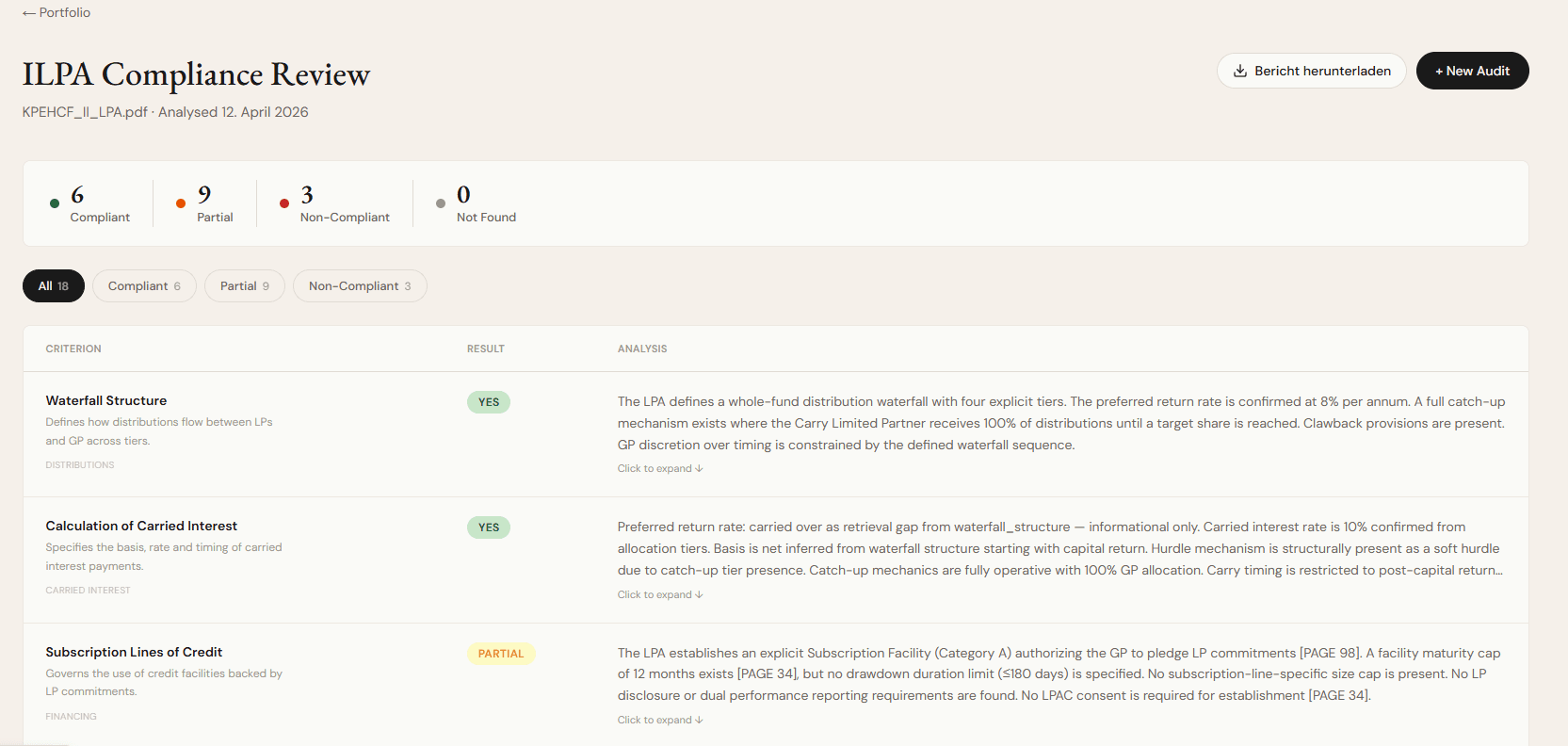
The audit view shows all 18 ILPA 3.0 criteria with result, rationale and direct source evidence.
- Score and overviewWeighted overall score from 0 to 100 and the distribution of results at a glance.
- Source evidenceExact quotation from the agreement for every result, traceable in the audit trail.
- Filter viewFilter results by status and open flagged criteria directly.
- PDF and DOCX uploadFile type, file size and content are checked before processing.
Portfolio
All audits in a portfolio overview.
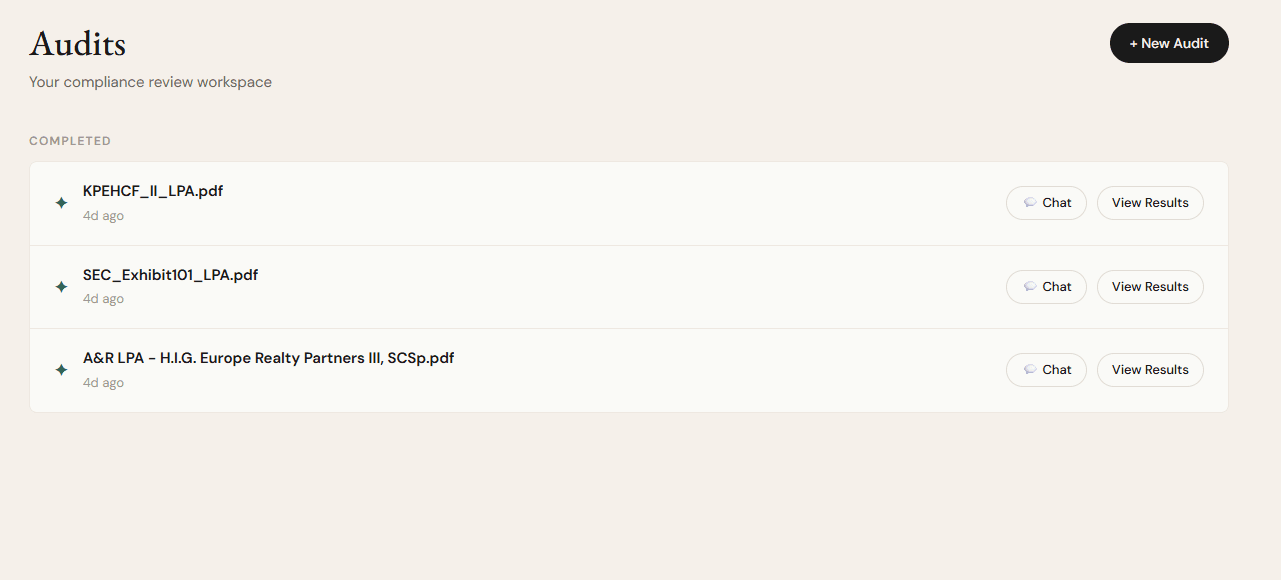
The portfolio brings together your team’s audits and shows status, score and flagged items at a glance.
Audit history
All audits with date, status and score.
Flagged funds
Spot funds with low scores immediately.
Export
Report data for internal reporting.
Team access
Access for authorised users in your team.
Contract chat
Follow-up questions on the contract text.
The integrated chat helps with follow-up questions on the LPA. Answers refer to the contract text and are intended as a working aid.
- “How is the clawback provision in Section 8 worded?”
- “Is there an exemption for co-investments?”
- “Under what conditions can the GP offset fees?”
Results
Five clearly defined result categories.
Every criterion receives one of five clearly defined results, with rationale and source evidence.
- Met
The criterion is clearly and fully addressed in the LPA.
- Partly met
The criterion is partially addressed – there are gaps or ambiguities.
- Not met
The criterion is missing from the LPA or contradicts the ILPA recommendations.
- Unclear
The wording is ambiguous – a manual review is recommended.
- Not found
The relevant information could not be located in the document.
Systematic LPA audits for your team
Speak to our team and see Adamant Assets in a focused demo.